

Languages / Langues / Sprachen: English · Français · Deutsch
FC27 on PC: Check Your Setup Before You Buy
Choosing an FC27 cheat menu starts with making sure it fits your PC and includes the features you want. This guide covers the main checks before purchasing CheatArmy FC27, what happens after checkout, and where to get help with setup.
Already know your requirements? View the FC27 Premium and Lite features, screenshots and edition comparison here.
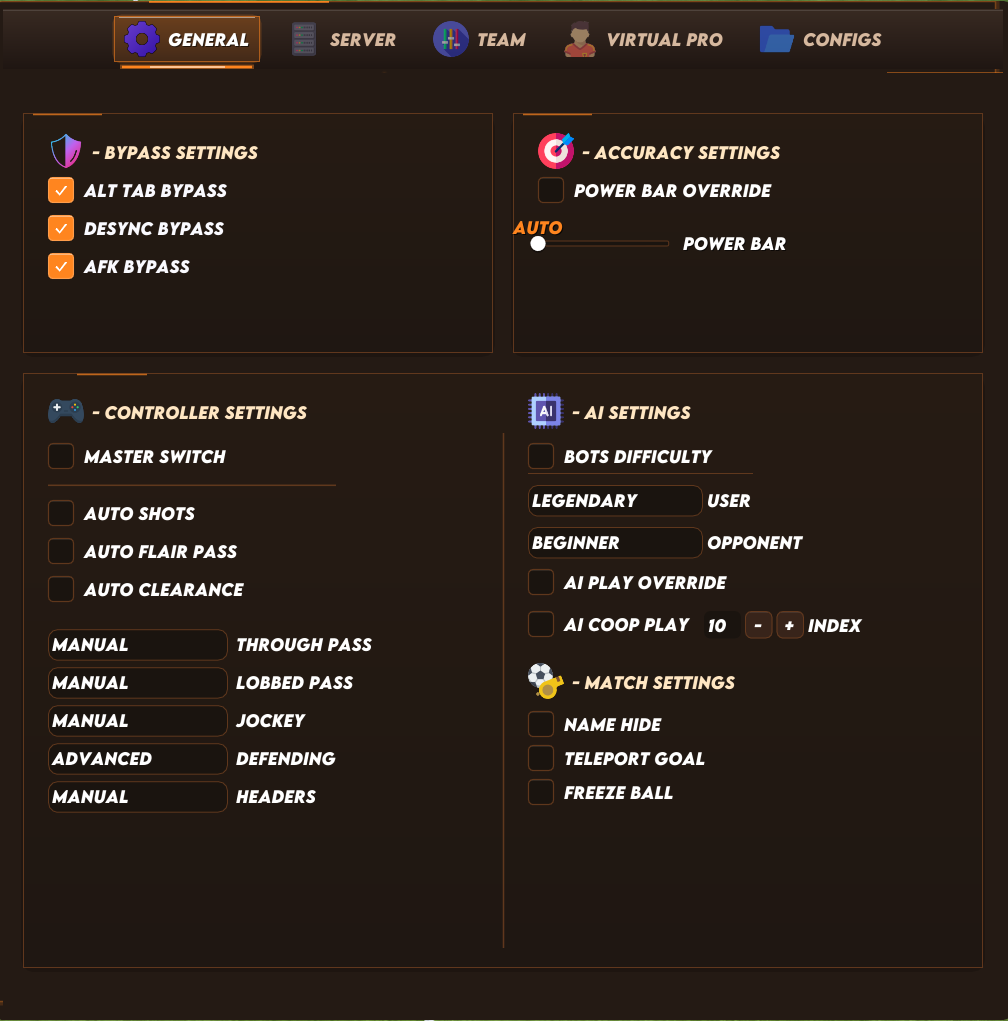
A look inside the CheatArmy FC27 Premium General menu.
1. Check your Windows version and graphics card
CheatArmy FC27 is a Windows PC product. Before choosing an edition, check your operating system, processor and graphics card against its current store listing.
The current FC27 Premium listing specifies:
An AMD processor is not the same as an AMD graphics card. Having a Ryzen CPU does not automatically mean the AMD GPU restriction applies to your PC.
To find your details:
If you are unsure, send these details to support before buying. Check the exact edition’s listing rather than assuming that being able to run the game means every third-party tool is compatible.
2. Choose your edition around the features you need
Both editions include supported team attribute, 99 stats and PlayStyles controls. Premium adds features such as individual player and Virtual Pro editing. Disable Opponent AI is exclusive to Premium.
For Ultimate Team or Pro Clubs, check the specific feature you want: not every control applies to every game mode.
Read our FC27 Premium vs Lite introduction and comparison.
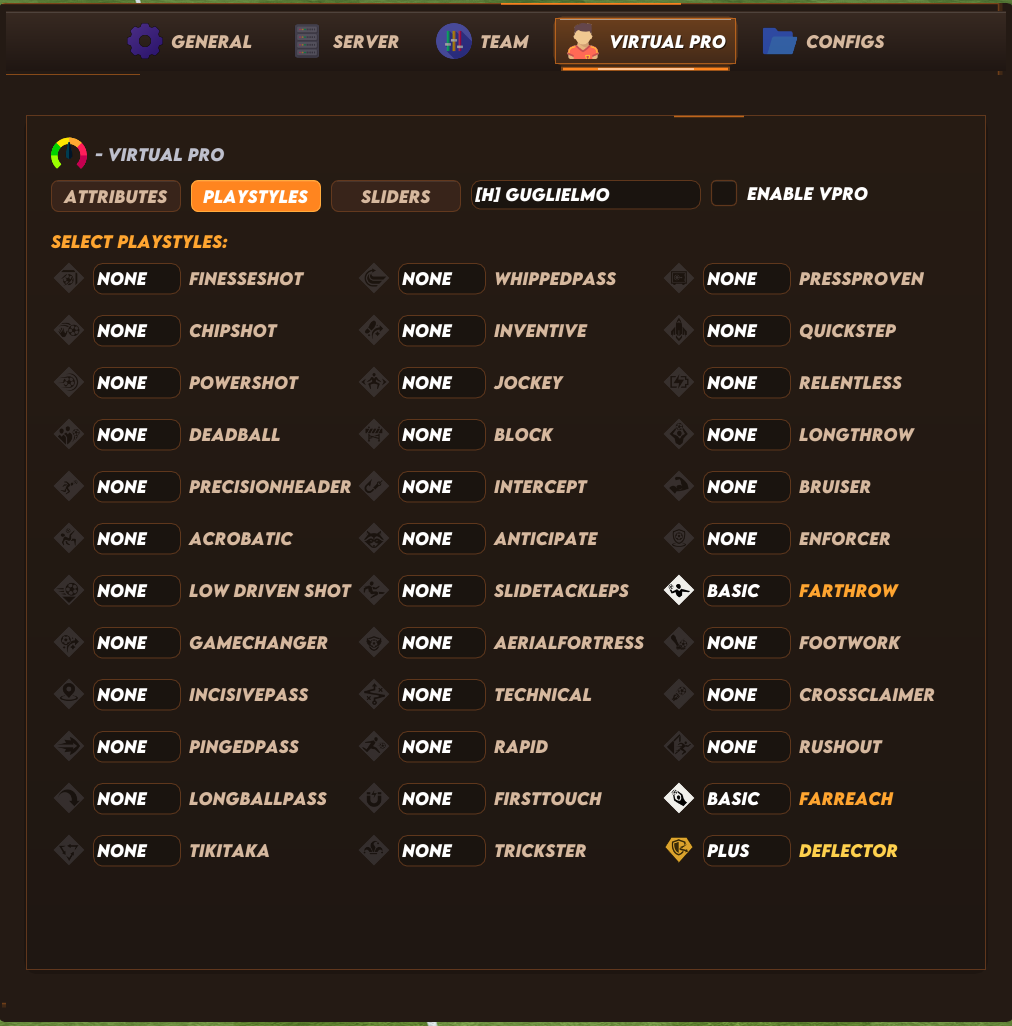
The Premium Virtual Pro editor provides individual-player controls. This is not a Lite feature preview.
3. Check live status before purchasing or launching
An older screenshot or gameplay video cannot confirm today’s availability. Game and anti-cheat updates can affect individual features or the product.
Check CheatArmy’s live product status here.
4. Follow the instructions delivered with your key
After payment, your digital key and current instructions are delivered by email and through your CheatArmy forum conversation box.
Use those instructions for your first launch, including any hardware-specific setup. Avoid combining older guides with new instructions or changing Windows settings based on another user’s configuration.
AMD GPU users on Windows 10: Confirm the current required setup with support. Do not assume that the same steps apply to someone who only has an AMD CPU.
5. Make support requests easy to diagnose
If you need help, join our Discord and open a support ticket. Include:
Keep licence keys, order details and personal information inside your private ticket rather than posting them publicly.
Ready to choose your FC27 edition?
Review the features, confirm compatibility and check live status before purchasing.
Explore CheatArmy FC27 cheats for PC — Premium & Lite
Compatibility information checked on October 20, 2026. Current product listings and support instructions take precedence if requirements change. Third-party cheats carry an account-ban risk; no edition guarantees account safety.
FC27 on PC: Check Your Setup Before You Buy
Choosing an FC27 cheat menu starts with making sure it fits your PC and includes the features you want. This guide covers the main checks before purchasing CheatArmy FC27, what happens after checkout, and where to get help with setup.
Already know your requirements? View the FC27 Premium and Lite features, screenshots and edition comparison here.
A look inside the CheatArmy FC27 Premium General menu.
1. Check your Windows version and graphics card
CheatArmy FC27 is a Windows PC product. Before choosing an edition, check your operating system, processor and graphics card against its current store listing.
The current FC27 Premium listing specifies:
- Windows 10: Builds 20H2–22H2.
- Windows 11: Builds 21H2–25H2, subject to the GPU restriction below.
- Processors: Intel and AMD CPUs.
- NVIDIA and Intel graphics cards: Supported.
- AMD graphics cards: Require Windows 10 and the applicable setup instructions. AMD GPUs are currently not supported on Windows 11.
An AMD processor is not the same as an AMD graphics card. Having a Ryzen CPU does not automatically mean the AMD GPU restriction applies to your PC.
To find your details:
- Press Windows + R, type winver and press Enter to see your Windows version.
- Open Task Manager → Performance and check the CPU and GPU names.
If you are unsure, send these details to support before buying. Check the exact edition’s listing rather than assuming that being able to run the game means every third-party tool is compatible.
2. Choose your edition around the features you need
Both editions include supported team attribute, 99 stats and PlayStyles controls. Premium adds features such as individual player and Virtual Pro editing. Disable Opponent AI is exclusive to Premium.
For Ultimate Team or Pro Clubs, check the specific feature you want: not every control applies to every game mode.
Read our FC27 Premium vs Lite introduction and comparison.
The Premium Virtual Pro editor provides individual-player controls. This is not a Lite feature preview.
3. Check live status before purchasing or launching
An older screenshot or gameplay video cannot confirm today’s availability. Game and anti-cheat updates can affect individual features or the product.
Check CheatArmy’s live product status here.
4. Follow the instructions delivered with your key
After payment, your digital key and current instructions are delivered by email and through your CheatArmy forum conversation box.
Use those instructions for your first launch, including any hardware-specific setup. Avoid combining older guides with new instructions or changing Windows settings based on another user’s configuration.
AMD GPU users on Windows 10: Confirm the current required setup with support. Do not assume that the same steps apply to someone who only has an AMD CPU.
5. Make support requests easy to diagnose
If you need help, join our Discord and open a support ticket. Include:
- Your edition: Premium or Lite.
- Windows version and build.
- CPU and GPU models.
- The exact error message or a screenshot.
- When the issue occurs: before launch, during loading or during a match.
- Whether FC27 runs normally without the product.
- What you have already tried.
Keep licence keys, order details and personal information inside your private ticket rather than posting them publicly.
Ready to choose your FC27 edition?
Review the features, confirm compatibility and check live status before purchasing.
Explore CheatArmy FC27 cheats for PC — Premium & Lite
Compatibility information checked on October 20, 2026. Current product listings and support instructions take precedence if requirements change. Third-party cheats carry an account-ban risk; no edition guarantees account safety.
Last edited: